
From sticky notes to a system that runs itself.
A CRM and business system built around your steps, your words and your reports. Leads, quotes, jobs, scheduling and billing in one place your whole team works from, on the computer and the phone. No Salesforce license, no consultant to set it up, and a team in Greenville, SC to support it, wherever you are.
Off-the-shelf CRMs are built for everyone. That’s the problem.
The big platforms charge per seat for features you’ll never open, and they come with someone else’s idea of how a sale or a job should go. So your team works around them, and the real information ends up back in texts and spreadsheets. A system built for your business has your stages, your fields and your reports, and nothing to work around.
Pick the pieces. They share one set of records.
A system can be two of these or all twelve. Most start with the two or three that cost the most time today.
Customers and contacts
Every person, property and past job in one record, with the full history a phone call away.
Leads and pipeline
Your stages from first call to signed, with the next step and who owns it always visible.
Quotes and e-signatures
Built from your price list and options, sent as a clean PDF, signed online.
Follow-ups that send themselves
Reminders for the team, and check-in emails and texts that go out when a quote goes quiet.
Jobs and work orders
Every job’s status, notes, photos and materials, from booked to closed.
Scheduling and dispatch
A calendar and board that know who’s free, with jobs pushed to the crew’s phones.
Service plans and renewals
Recurring visits, maintenance agreements and renewal reminders that track themselves.
Invoices and payments
Invoices made from the finished job, online payment, and polite reminders until it’s paid.
Inventory and orders
Parts and stock counted down by the jobs that use them, with reorder alerts.
Customer portal
A sign-in where customers see their quotes, visits, invoices and documents.
Reports and dashboards
Close rates, revenue by service, jobs by crew and money owed, on the screen you open every Monday.
Roles and permissions
Each person sees what their job needs. The crew doesn’t see pricing, the office doesn’t see payroll.
What a normal Tuesday looks like.
This is a made-up service business, but every step is something we build. The pattern is the same: someone does one thing, and the system does the next five.
- The crew opens their dayJobs, routes and notes are already on their phones. Nobody calls the office.
- A website request comes inIt lands in the pipeline, assigned to the right person, with a reply already sent.
- A quote goes outBuilt from the price list in a few minutes and signed online before lunch.
- The job books itselfThe signed quote becomes a job on the calendar and a reminder text to the customer.
- Work wraps upPhotos, checklist and signature from the crew’s phone. The invoice sends itself.
- Payment arrivesPaid by card from the invoice and marked paid in your books.
- The owner checks one screenBooked, done, billed and owed for the day. No spreadsheet to update.
We run our own business on systems we built.
These aren’t demos. TEMPO and The Kennel run WebPro360 every day, and they’re built the same way we’d build yours.
TEMPO
Tracking Engagements, Milestones, Projects and Orders. The project and task tracker, ticket maker and communications tracker behind every job we do.
- Every job gets a ticket number, whether it’s a project, an order, a monthly retainer or internal work.
- Each ticket gets its step list from a template, with an owner and a date on every step.
- Requests that come in by email, phone or chat land in one intake list, so nothing slips through.
- Steps waiting on the client move the dates without counting against us.
- A Monday digest, overdue alerts, time tracking and an on-time rate against what we promised.
- P 1088Website rebuildWaiting on the client for contentClientWill
- C 1091Monthly SEO, NovemberRank report due FridayOn trackNathan
- O 1094Business email, 6 boxesDNS records nextOn trackRoger
- P 1096Mobile app, order aheadTest build to the clientOn trackJosh
- I 1097Server updatesDue todayTodayRay
The Kennel
Our dashboard. Log in and see what the day brings: emails, updates, billing and client work pulled into one screen so nothing is missed.
- Every client’s emails and requests in one place, filed under that client.
- Each client’s work, deadlines and open tickets on one screen.
- Rankings, reviews and search data for every client, checked on a schedule.
- Health checks on every site we host, around the clock.
- Billing and renewals right beside the work, so nothing quietly lapses.
Good morning. Here’s what the day brings.
- Nathan filed a website request as a new ticket
- Will closed the content step on P 1088
- Ray finished the November rank report
Connected to the tools you already use.
Your system doesn’t have to replace everything. It can pass work to the tools you’re happy with, so information still goes in once.
We can work with that too.
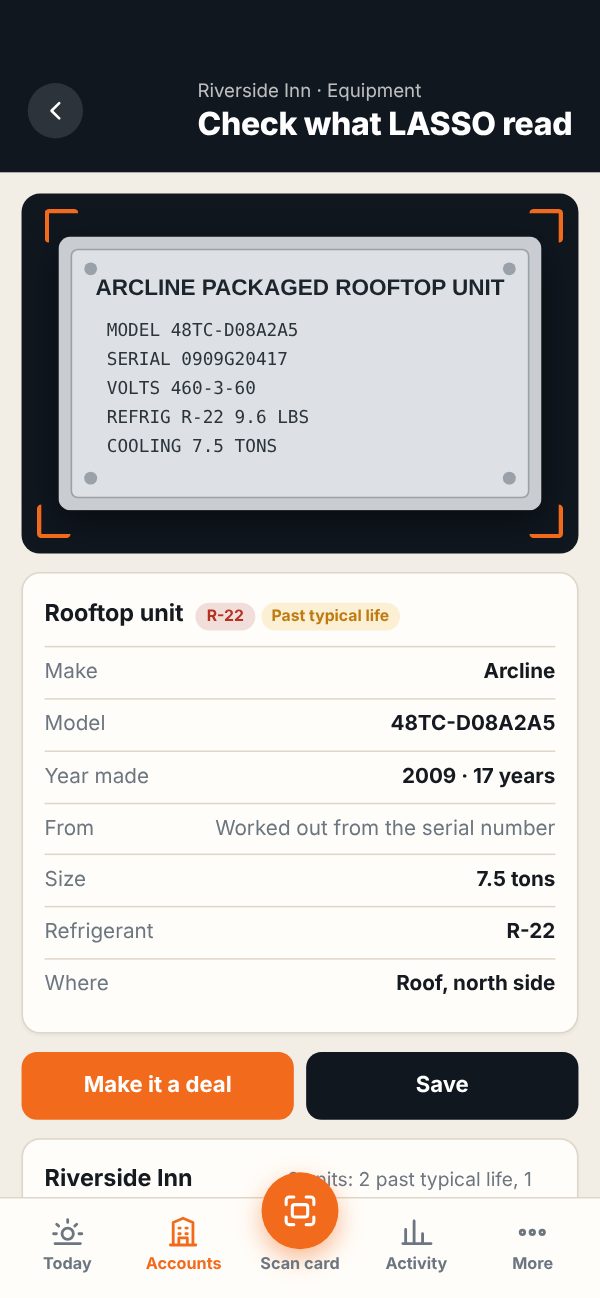
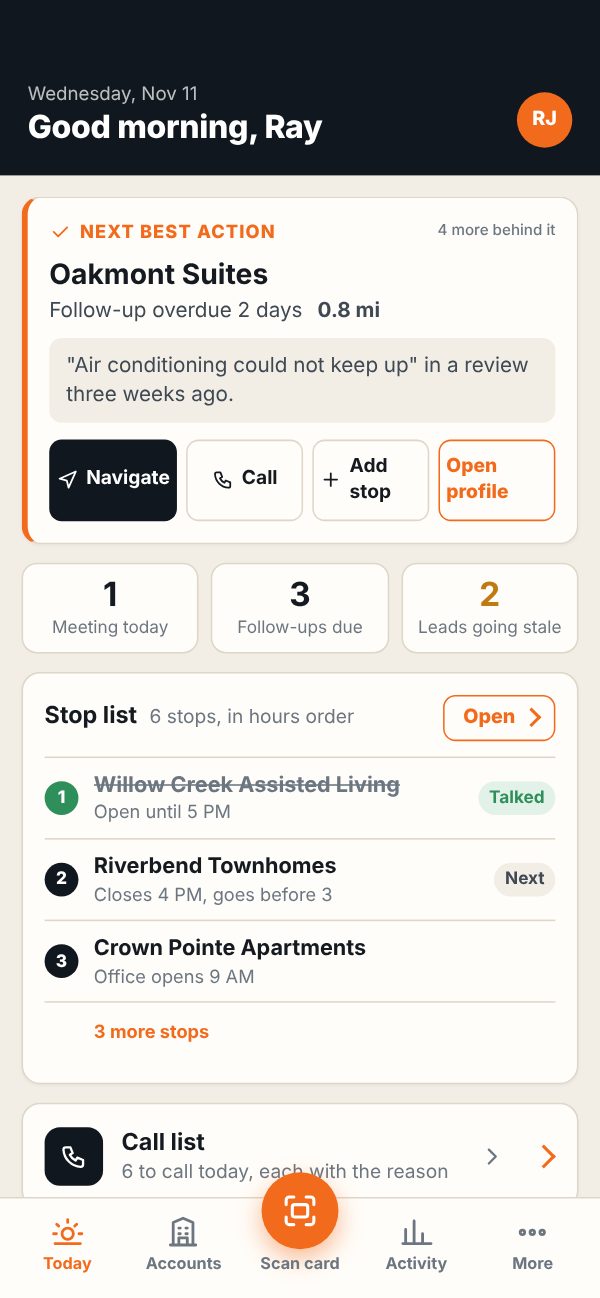
If your company is committed to Salesforce or another platform, we build the pieces it’s missing around it. LASSO is the example: the office keeps its records in Salesforce, and the reps work from a simpler app built for their day.
- Cards, accounts and deals go to Salesforce with your required fields checked first.
- Changes made in Salesforce come back to the app every 15 minutes.
- Email and meetings run through each rep’s own Outlook or Gmail.
- Managers get a team view, routes and a weekly scoreboard on top.
Map it, build the core, move in.
- 1
Map the process
We sit with the people who do the work and map every step, tool and workaround, then agree on scope and price.
- 2
Build the core first
Your team uses the first working version early, with real records, so the details get shaped by real use.
- 3
Move in and keep improving
We bring your existing records over, train your team, and keep adding what you need as the business grows.
Good questions. Clear answers.
Is a custom system really better than Salesforce or HubSpot?
We run everything on spreadsheets. Is that a problem?
Can our team use it on their phones?
What happens to our existing records?
Who owns the data, and is it secure?
What does it cost?
Show us the spreadsheet.
Every business has the one file, inbox or whiteboard holding it all together. Walk us through it and we’ll show you what it looks like as a system.
Need a phone app too? Mobile app development.